Field notes · 10 min read
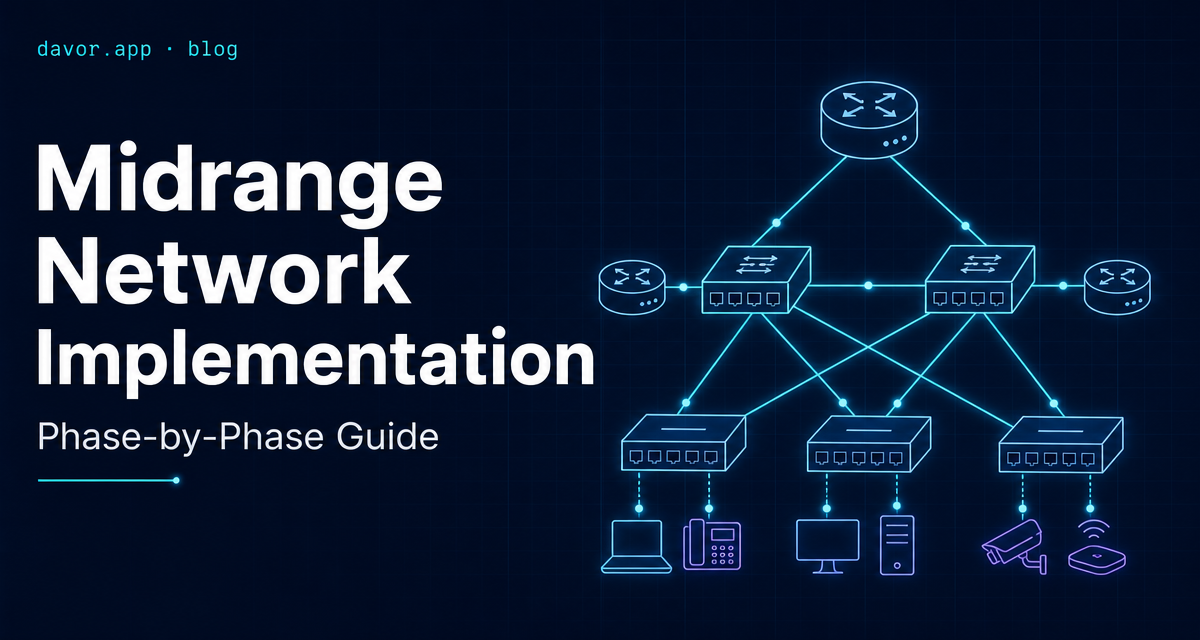
Midrange Network Implementation: A Phase-by-Phase Production Guide
A midrange network implementation is where most rollouts quietly go sideways. Small enough that people expect it to be simple, big enough that a missed VLAN or a wrong DNS forwarder becomes a week of support tickets. This is the phased approach I use in production — the one that survives day two.
Why phase a network rollout
The temptation on a midrange project is to plug everything in over a weekend and flip DNS on Monday. It works — until it does not. A phased approach costs one extra week of calendar time and buys you a rollback plan at every step. When the CFO cannot print on Tuesday, you want to know which of the last three changes caused it.
Each phase below has one job: prove the layer below it works before the next layer depends on it. Physical before logical. Services before endpoints. Security before wireless. Patching before you walk away.
Phase 1 — Physical & switch fabric
Before a single service goes online, the switch fabric and IP schema need to be locked. Changing either later is expensive.
- Design the IP schema first: one /16 for the site, split into /24 VLANs for servers, clients, IoT, guest, management and printers
- Label every patch cable and every switch port — future you will not remember which port feeds the meeting-room AP
- Configure switch stacks or MLAG for redundancy on the core; access switches can be standalone
- Set management VLAN untagged only on the trunk to the firewall — never on user ports
- Enable BPDU guard on access ports so a rogue mini-switch cannot flap the whole L2 domain
The single most common phase-one mistake: reusing the ISP router's default 192.168.1.0/24 subnet. It collides with home VPN networks and every consumer router your users travel with. Pick something unusual inside RFC1918 and document it.
Phase 2 — Core services (DNS, DHCP, AD)
With the fabric up, stand up the services that everything else depends on. In a Windows-heavy environment that means Active Directory, DNS and DHCP — usually on the same two servers for redundancy.
- Deploy two domain controllers, each running DNS. Point every client at both — never at the ISP or a public resolver
- Split DHCP scopes cleanly: .10–.100 static, .101–.240 dynamic, .241+ reserved for printers and appliances
- Configure DHCP failover in hot-standby mode — a single DHCP server outage should not stop new laptops from getting an address
- Forward external DNS to a trusted upstream (Quad9, Cloudflare) — not the ISP
- Create a naming convention: SITE-ROLE-NN (e.g. CPH-DC-01, CPH-FS-02) and enforce it from day one
Test cutover before you commit: build one pilot workstation, join it to the domain, log in, print, open a shared drive, hit the internet. If any of those fail, you fix them here — not with 200 users watching.
Phase 3 — Endpoint security & antivirus
Only once endpoints can talk to the domain do you layer on security. Doing it in the other order guarantees a policy blocks a domain join and you spend Saturday figuring out why.
One EDR, not two
Defender for Business or a single third-party EDR — never both. Overlapping AV products fight each other and destroy performance.
Firewall segmentation
Deny inter-VLAN traffic by default. Open specific ports (printing, file shares, RDP for admins) explicitly. Log denies for the first month.
Admin tier separation
Domain admins never log into workstations. Create a separate DA-prefixed account used only from a locked-down admin jumpbox.
Backup before rollout
First working backup of DCs, file servers and the firewall config lives on separate storage before you invite users onto the network.
Phase 4 — Wireless & guest network
Wireless comes after wired for a reason: if the wired network is not solid, no amount of AP tuning will save you. Plan for three SSIDs, not one:
- Corporate SSID — WPA2-Enterprise with RADIUS against AD (or WPA3-Enterprise if every client supports it — verify first)
- IoT SSID — WPA2/3 personal, dedicated VLAN, no route to the corporate VLAN
- Guest SSID — captive portal, internet-only, rate limited, client isolation on
- Site survey before install — three APs guessed from a floor plan will always leave one dead corner
- Set minimum data rate to 12 Mbps to kick off 802.11b clients that drag down the whole cell
Do not enable WPA3-only on the guest network before you have checked the client fleet. Older Android devices and printers still fall off WPA3-only cells silently. Mixed WPA2/WPA3 transition mode is the safer default for now.
Phase 5 — Patching & lifecycle
The phase everyone defers and every auditor asks about first. Bake it in before handover, not after.
- Servers: monthly patch window, staged — DCs one week, app servers the next, always outside business hours
- Workstations: weekly via Intune, WSUS or a third-party patch manager. Deferrable by the user for a maximum of three days
- Network gear (switches, APs, firewall): firmware review quarterly, applied during a scheduled maintenance window
- Documentation: an up-to-date network diagram, IP schema, VLAN list and admin credential vault handed over to the customer before sign-off
- Monitoring: uptime and interface errors on the switches, DHCP scope utilization, DC replication health — at minimum
Realistic timelines by company size
Every environment is different — cabling condition, ISP handover, whether you inherit a working AD or start clean. These are the ranges I actually see in the field, not vendor best case:
Small business — 10 to 50 users, one site
2 to 4 weeks end to end. Usually one engineer, one long weekend for the cutover, two weeks of tuning after.
Growing SMB — 50 to 150 users, one or two sites
4 to 8 weeks. Add a second engineer for the wireless site survey and the security phase. Cutover happens over two consecutive weekends per site.
Midrange — 150 to 500 users, multiple sites
2 to 4 months. A small team, a proper change-management process, staged cutovers by department. Never all users on one weekend.
Large corporation — 500+ users, many sites, regulated
6 to 12+ months. Now you have architects, change advisory boards, security review gates and vendor escalations. The technical work is not harder — the coordination is.
A useful rule of thumb: every extra site roughly doubles the wireless and firewall effort, not the server effort. Servers scale linearly; radios and rule sets do not.
FAQ
What counts as a 'midrange' environment?
Roughly 50–500 users across one to three sites. Big enough that you need VLANs, real DHCP scopes and centralized identity — small enough that a single engineer or a small team owns the whole stack.
Can I skip phases if the business is in a hurry?
You can parallelize, but you cannot skip. Every skipped phase becomes a support ticket later. The most common casualty is patching — it gets deferred and then a zero-day forces an emergency weekend.
Do I really need separate VLANs from day one?
Yes. Adding VLANs later means re-IPing endpoints, rewriting firewall rules and re-testing every application. It is dramatically cheaper to design them into phase one, even if some VLANs sit empty for weeks.
What breaks most often in a midrange rollout?
DHCP scope exhaustion, DNS pointing at the old servers after cutover and Wi-Fi that authenticates but cannot reach the internet because a firewall rule was missed. Have a rollback plan for each.
Do I need enterprise gear or is prosumer enough?
For up to about 100 users, well-chosen prosumer gear (Unifi, MikroTik, TP-Link Omada) works if you accept the operational trade-offs. Above that, invest in managed switches with proper stacking, decent warranty and a vendor support contract.
Key takeaways
- Design the IP schema and VLANs before you touch a single cable.
- Core services (DNS, DHCP, AD) come online and get tested on a pilot before endpoints join.
- Security layers on last — never enable EDR or firewall segmentation before endpoints can talk to the domain.
- Wired first, wireless second, guest network on its own VLAN with client isolation.
- Patching, monitoring and documentation are part of the rollout, not the follow-up project.
Related reading: Active Directory and Entra ID integration, managing Intune compliance, how I handle production outages, and infrastructure consulting services.
Planning a network refresh or a multi-site rollout? This is what I do in production.
Let's talk →Looking for an IT specialist in Copenhagen?
I work with businesses in Copenhagen, across Denmark and the Øresund region on Microsoft 365, Intune, Entra ID and day-to-day IT support.